Personalized portals, to-do lists for members, and greater security within the community
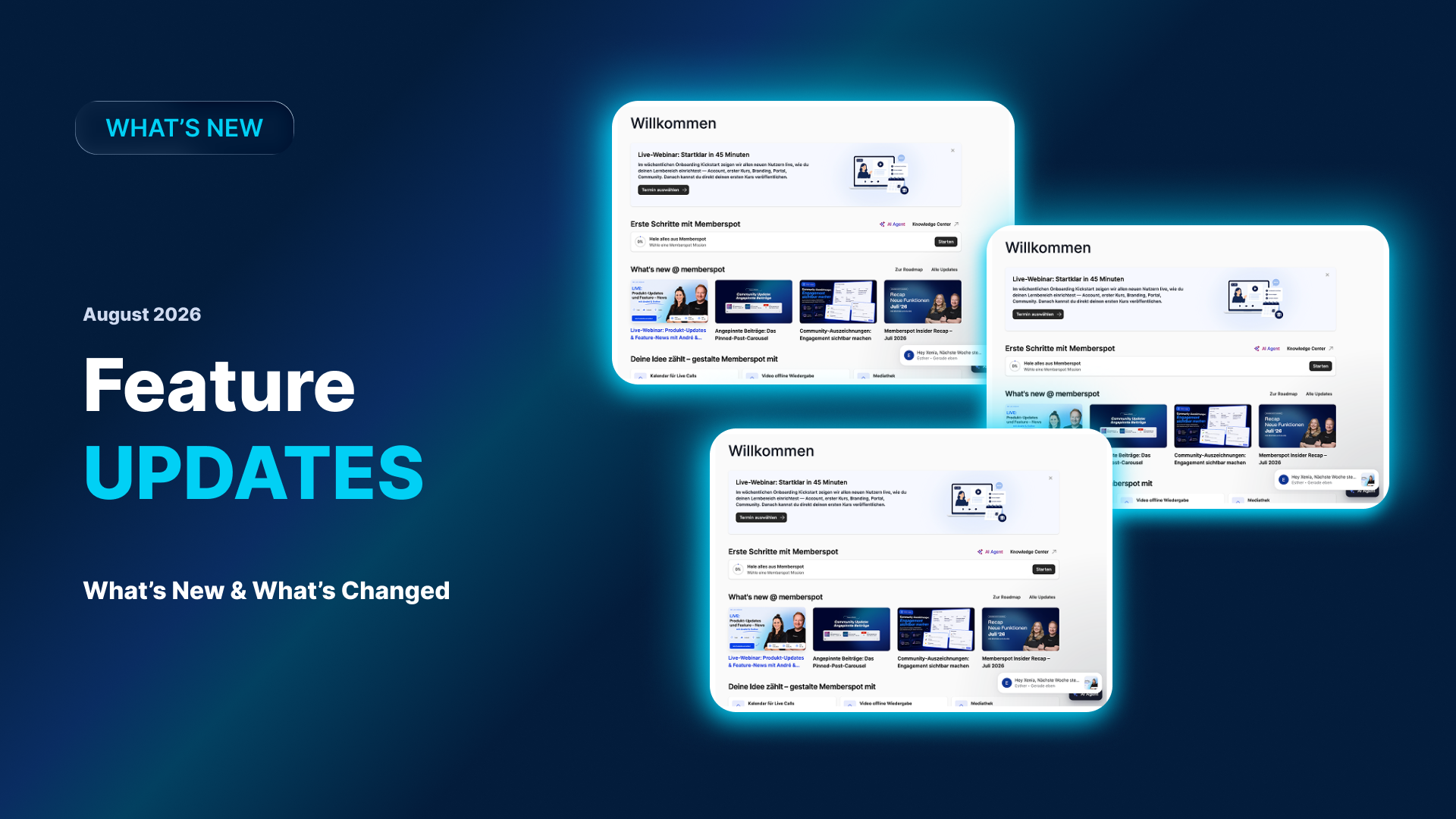
We took a short break from the Insider webinars over the summer because of the holidays—but development, of course, didn’t stop. You may have already spotted some of these updates live in the app. So now we’re catching up: This Insider covers the features from August; the recap for September will follow in two weeks, and after that, we’ll be back on track.
The result is a concise overview divided into four sections: Portals, To-Dos for Members, Community, and a preview of the September Insider. If you missed the webinar or would like to review specific points at your leisure—here’s the recap.
Quick tip: You can find the full recording on YouTube and in our community under Courses → Recordings 2026. That’s where all of this year’s Insider webinars are posted.
One portal, many target audiences
Portals have long played a central role in your members-only area: They’re the first thing your members see after logging in. Until now, however, it hasn’t been easy to tailor a portal to different target audiences, customer groups, or learning groups. That’s exactly what’s changing now.
As a reminder: We introduced versions and a draft status for portals back in the spring. This means you can edit a portal without the changes going live immediately, and publish it only when you're ready. The new features build on this functionality.
Visibility Settings for Portal Sections
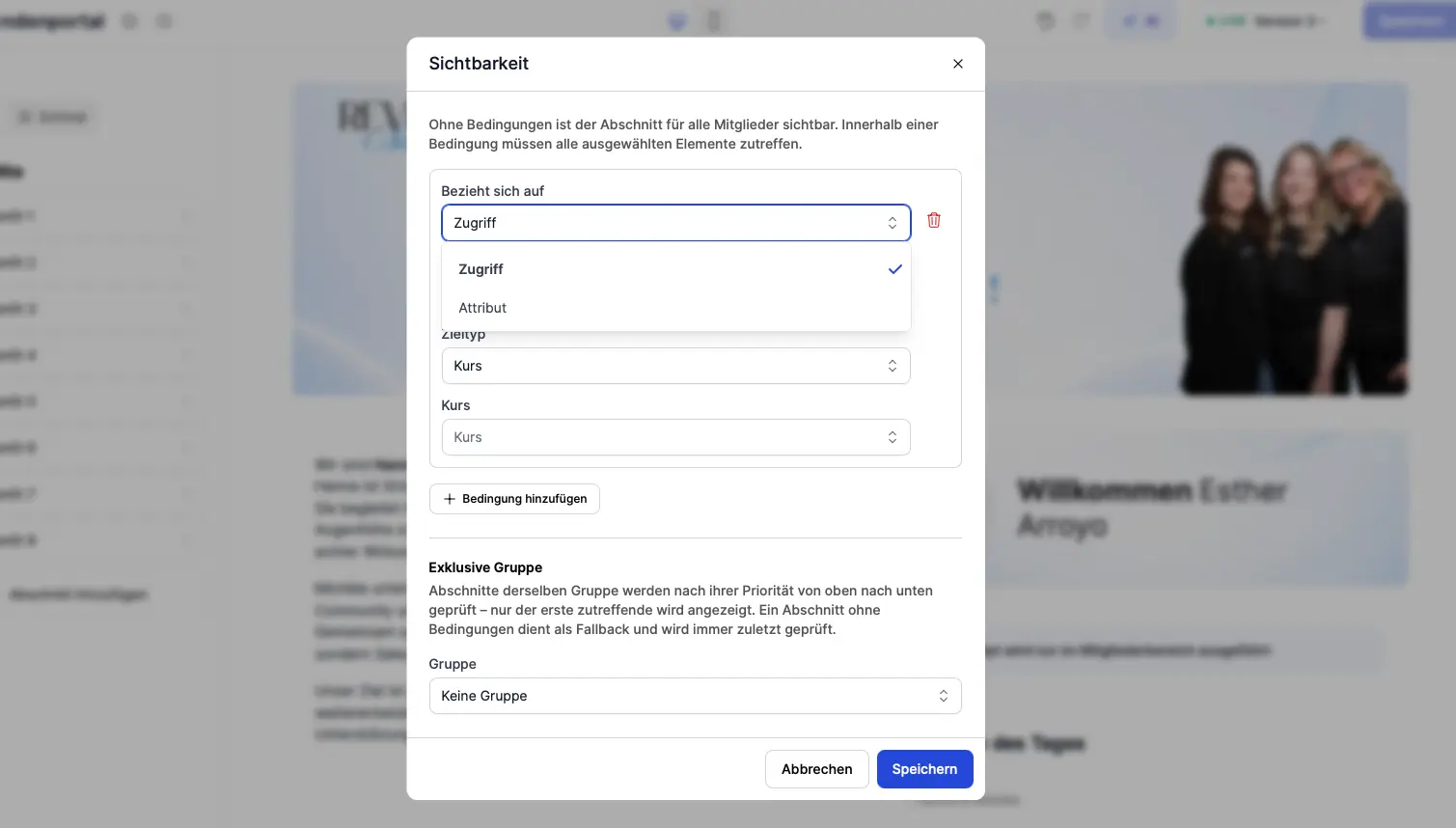
Portals now have visibility settings. You can use rules to specify which user groups can view individual sections and their content.
Here's an example: You want to inform the participants of a specific course, provide them with a special notice on the portal, or make them an offer. Instead of building a separate portal for this purpose, you can display a section visible only to those specific course participants. Everyone else won't see it.
Combine Sections into Groups
In addition, you can group sections together and sort them within those groups. This allows you to control visibility not only for individual sections but also at the group level.
Important to note: “Group” here refers to a selection of sections in your portal—not a user group. So you group sections together to control which ones are displayed.
We've summarized all the details, examples, and tips about the new rules in a separate post: One Portal, Many Audiences: How to Show Each Member the Right Content.
Link to AI agents directly from the portal
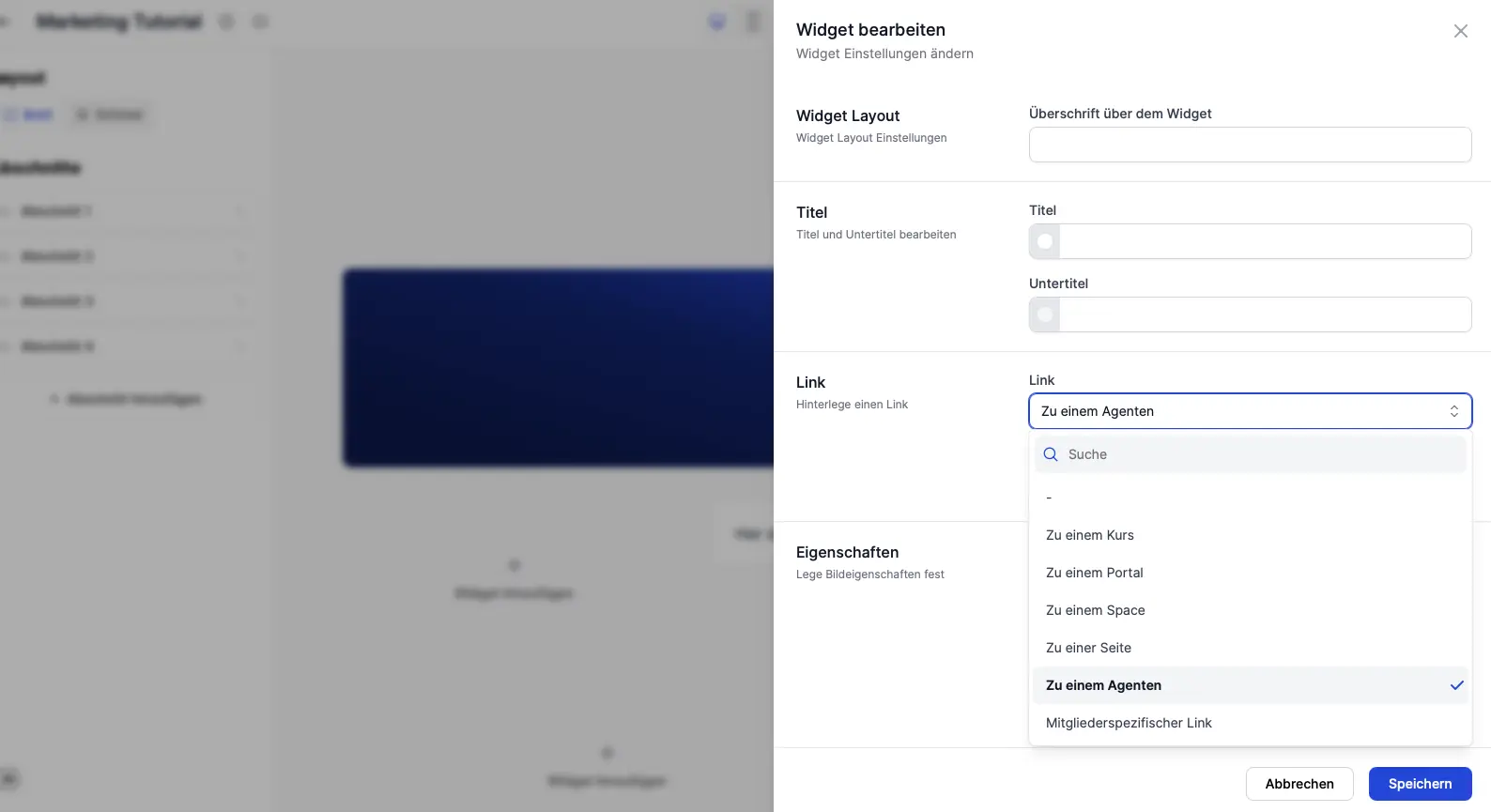
Another new feature is that you can now link directly to an AI agent from within the portal. This works with any link element: There are various ways to add links in the widgets—and for each one, you can now select one of your existing AI agents instead of a page.
When a member clicks the link, they're taken directly to the Agent. This makes your Agents much more visible and allows you to offer them as a real feature right on the home page.
To-Do List for Your Members
Starting now, you can assign tasks to your members—for example, “Please complete your profile.”
Here's how to create a to-do item
- In the admin panel, open " Members " and select a member.
- There, at the top, you'll find the new " To-Do" tab.
- Create the to-do item with a title, description, and an optional due date.
- If the corresponding checkbox is selected, the member will receive a notification about the new task.
Here's what it looks like for your member
In the app, members can find their tasks under "To-Dos." Pending tasks appear at the top; as soon as a member completes a task, it moves to the "Completed" section. This way, both sides can keep track of what still needs to be done.
Community Updates
Report Posts
Members can now report posts in the community if something bothers them. Here's how it works:
- The member selects a category for the report, such as spam or hate speech.
- Before sending, it confirms once that it is truly convinced of the report—a quick self-check that reduces the number of hasty reports.
- After submitting the form, the member who submitted it will receive a confirmation.
- The moderators of the Space will be notified. The person whose post was reported will not be notified at this time.
To be honest: where the boundaries lie
- A member can report the same post only once —this prevents moderators from being spammed with multiple reports.
- This feature only takes effect when at least two moderators are active in the respective space. Reason: Posts by moderators can also be reported—and the report should not be sent exclusively to the person in question.
Roadmap and Idea Board—for Your Community, Too
You can view our product roadmap at any time in the Memberspot Community. It’s embedded via an iFrame from one of our planning tools—and you can do exactly the same thing in your own communities or learning spaces.
The same applies to our Ideas Board, where ideas are submitted and prioritized through upvotes: This feature is also available to you in your own communities. That’s because our community runs on the Memberspot platform itself—everything you see there, you can also use for your members.
Registration at community.memberspot.de is free; you'll need to register there separately.
A Look Ahead to the September Insider
In the September recap, you can look forward to the following new updates:
- New lesson types: AI agents and attributes —you can embed agents directly into courses and lessons and query member attributes.
- New community features—here's a detailed look at them.
- A few little highlights —you'll have to tune in to see them.
And we can already give you a sneak peek at what's coming in October: There are more new features on the way, which we'll be introducing to you over the next few weeks and months.
Feature and Webinar Requests
Do you have any questions or feature requests? The best place to share them is on the Ideas Board in the community—that way, we always have a real customer’s voice behind each idea.
Would you like a webinar on a specific topic—for example, a 40-minute deep dive into a feature? Let us know—we’d be happy to set one up.
In short
The August issue of "Insider" highlighted what went live over the summer:
- Portals: Visibility rules for individual sections, groupable sections, and links directly to your AI agents.
- Members: To-dos with a title, description, optional due date, and notification.
- Community: Report posts with categories and self-review—plus a roadmap via iFrame and an ideas board for your own community, too.
- What's Ahead: New lesson types, AI agents, and attributes in the September Insider.
Or in one sentence:
Memberspot is becoming more personalized—offering the right content, tasks, and agents for each member.
Have fun trying it out—and if you'd like, join our community at community.memberspot.de.
Your Member Spot 👋



.png)