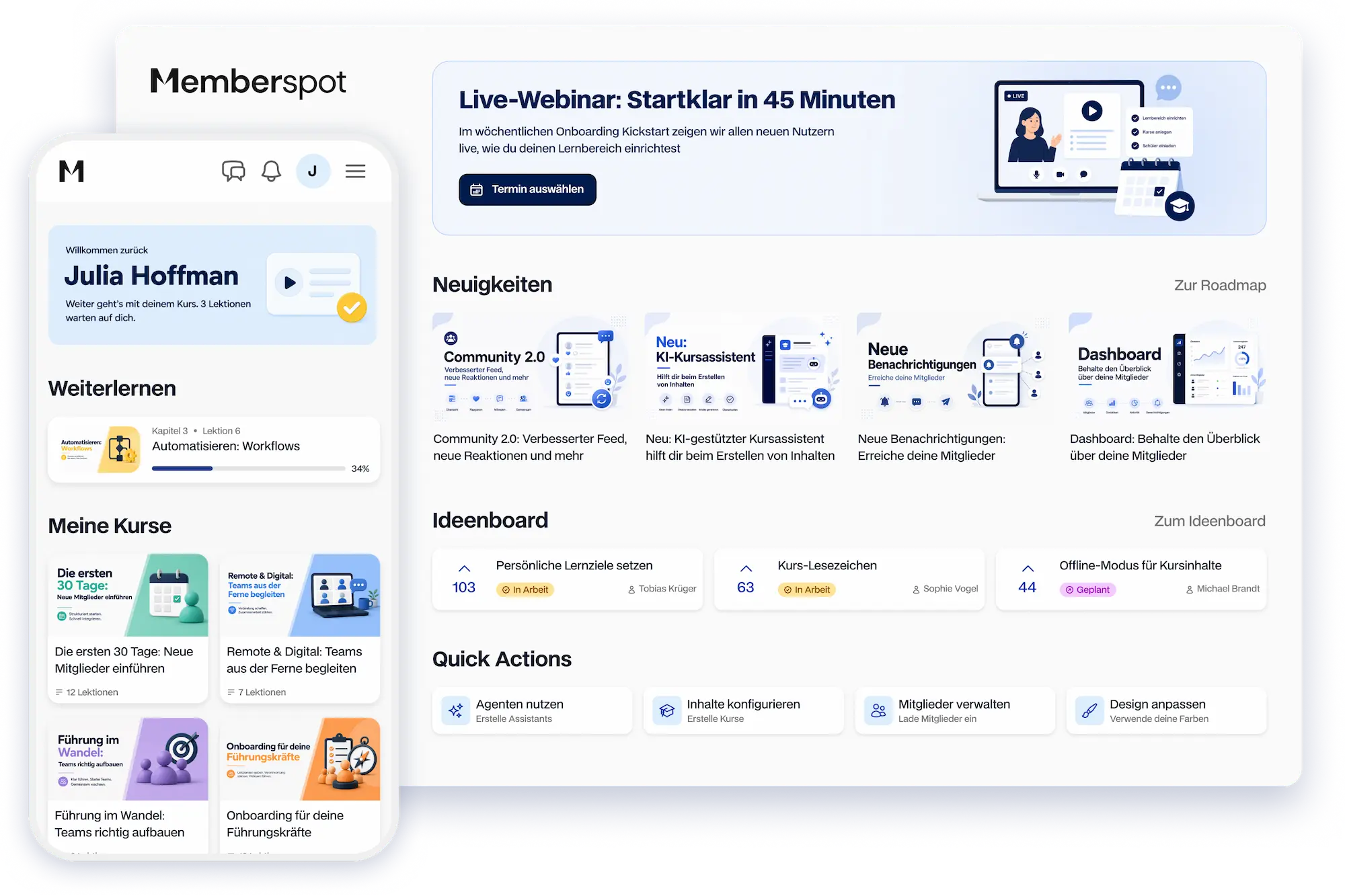



Everything you need for your classes. Finally, all in one place.
From the course editor to video recording to member management—all without switching tools.



Everything your classes need. All in one place.
From your first course to your finished certificate—Memberspot has everything you need.
.webp)
Create courses that your members will enjoy taking
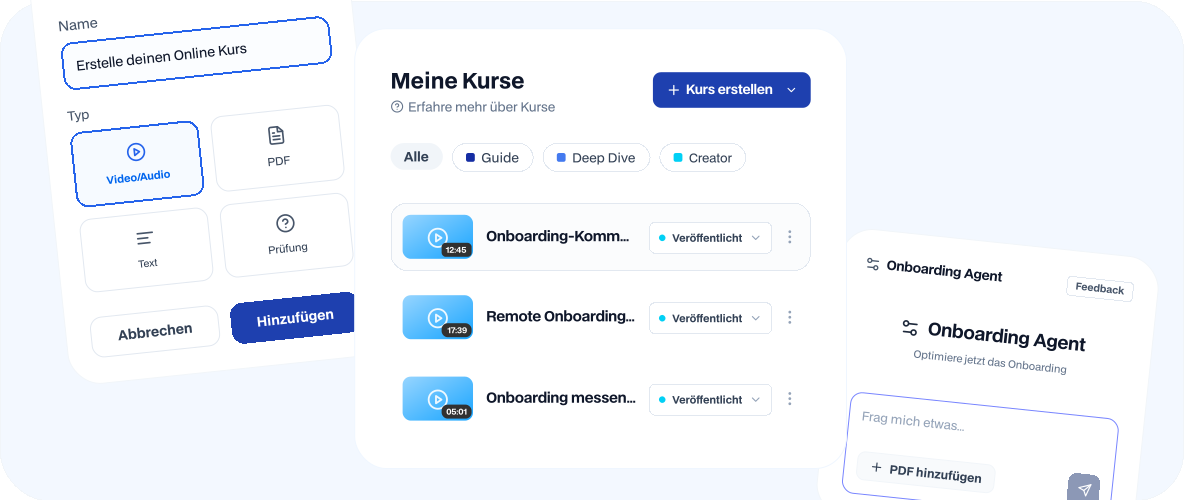
Drag-and-drop, all lesson types, and a video studio right in the editor—no coding required, no external software needed.

Organize chapters, subchapters, and lessons using drag-and-drop
Lesson types for video, audio, text, PDF, quizzes, and SCORM
Clone courses from templates and get them up and running in minutes
Publish or hold content per level
See your learning progress right in the editor, without switching tabs
.webp)
.webp)
Upload videos at the same time. Not one after the other.
Select a hundred videos at once, upload them directly in your browser, and let Memberspot create ready-to-use lessons with appropriate titles.
Hours of hard work are reduced to a single step. Whether you want to set up an entire course in an afternoon or quickly import existing content into Memberspot—every video is automatically placed in the correct structure.
Videos that load quickly.
Hosted on servers located in Europe
Memberspot hosts your videos on European servers in Frankfurt, Amsterdam, and Dublin—without going through U.S. cloud providers. Your members can watch lessons without long loading times, whether they’re at their desks or on the go on their smartphones.
If you choose, DRM protects your videos from unauthorized downloading—so your course content stays where it belongs.
.webp)
.webp)
From Quiz to Certificate.
All in one learning area.
Create exams with multiple-choice questions, image-based answers, and question pools; set passing scores and maximum attempts; and design your own certificates with a logo, signature, and custom variables.
Memberspot automatically grades each attempt, shows members their score for each question, and makes the completed certificate available as a PDF for direct download—as soon as the exam is passed.
Collect payments.
Without getting buriedin emails
Define assignments with descriptions and acceptance criteria, and assign them to one or more tutors. Members submit their solutions—as files, videos, or text—directly within the corresponding lesson.
Tutors open the submissions with an inline preview for PDFs, images, and videos, provide feedback in multiple rounds, and assign a grade—all without downloading anything or exchanging emails back and forth.
.webp)
.webp)
One learning area. As many portals as you need
Build multiple portals for different target audiences—a customer dashboard, a team intranet, a coaching hub—all within a single learning environment.
The editor uses drag-and-drop with widget selection and a live preview, so you can build layouts without writing code. Plus, custom pages for your legal notice, “About” section, onboarding texts, or anything else that belongs outside your courses—without needing external tools.
What Else Is Included.

Notifications
Members and tutors receive email, push, or in-app notifications—configurable by channel, with a digest instead of individual emails.

Manage Members
Member list with filters, CSV import, and individual member detail pages showing login history and progress.

Feedback
Mood barometers and pop-up surveys right in the learning area—for honest feedback from your members.

Search
Search your entire study area. Starting with Scale, you can also search through video transcripts.
Frequently Asked Questions.
Easy Answers.
Can I transfer existing courses from another platform to Memberspot?

Yes. Our migration service will transfer your courses, videos, member data, and certificates from popular platforms—you won’t have to manually recreate anything. We’ll discuss in advance what needs to be transferred, handle the migration, and ensure that your members barely notice the change.
What video formats can I upload, and on which devices can my members view the content?
Memberspot supports all common formats. After uploading, your videos are automatically converted into multiple quality levels so that the appropriate version plays on any device—smartphone, tablet, or desktop. There is no fixed length limit; depending on your plan, you can even upload 4K videos.
Can I design my own certificates, or do I have to use existing templates?
Both options are available. Choose a template from the certificate gallery and customize it, or create a completely original design in the certificate editor with a logo, signature, and custom text. Memberspot automatically fills in variables such as name, course title, and date as soon as a member passes the exam.
Can I unlock lessons gradually, rather than making all the content available at once?
Yes. With staggered release, you can set when each lesson becomes available to your members—for example, three days after the course starts or on the first day of the second week. This allows you to guide your members through the course step by step without overwhelming them with all the content at once.
Does Memberspot support SCORM content from existing learning management systems?
Yes. SCORM packages in the 1.2 and 2004 formats can be uploaded as separate lessons, and learning progress is synchronized between the SCORM content and Memberspot in both directions. SCORM is available as an add-on starting with the Elite plan—a useful option for anyone who wants to integrate existing e-learning content from a traditional LMS.
Try Memberspot for 14 days free