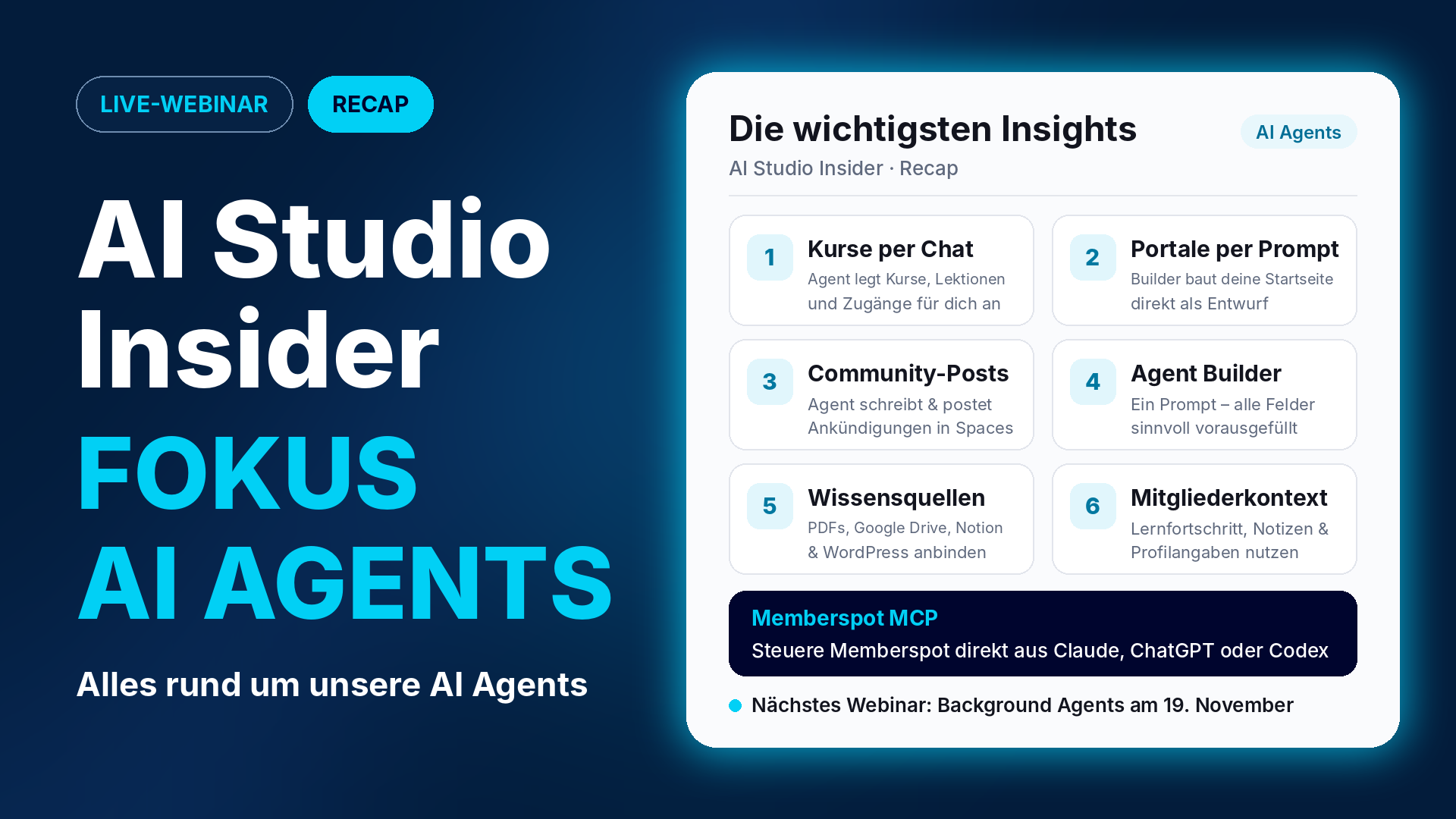
Platform Agents, Custom Agents, and Knowledge Sources: Everything You Need to Know About Your AI Agents
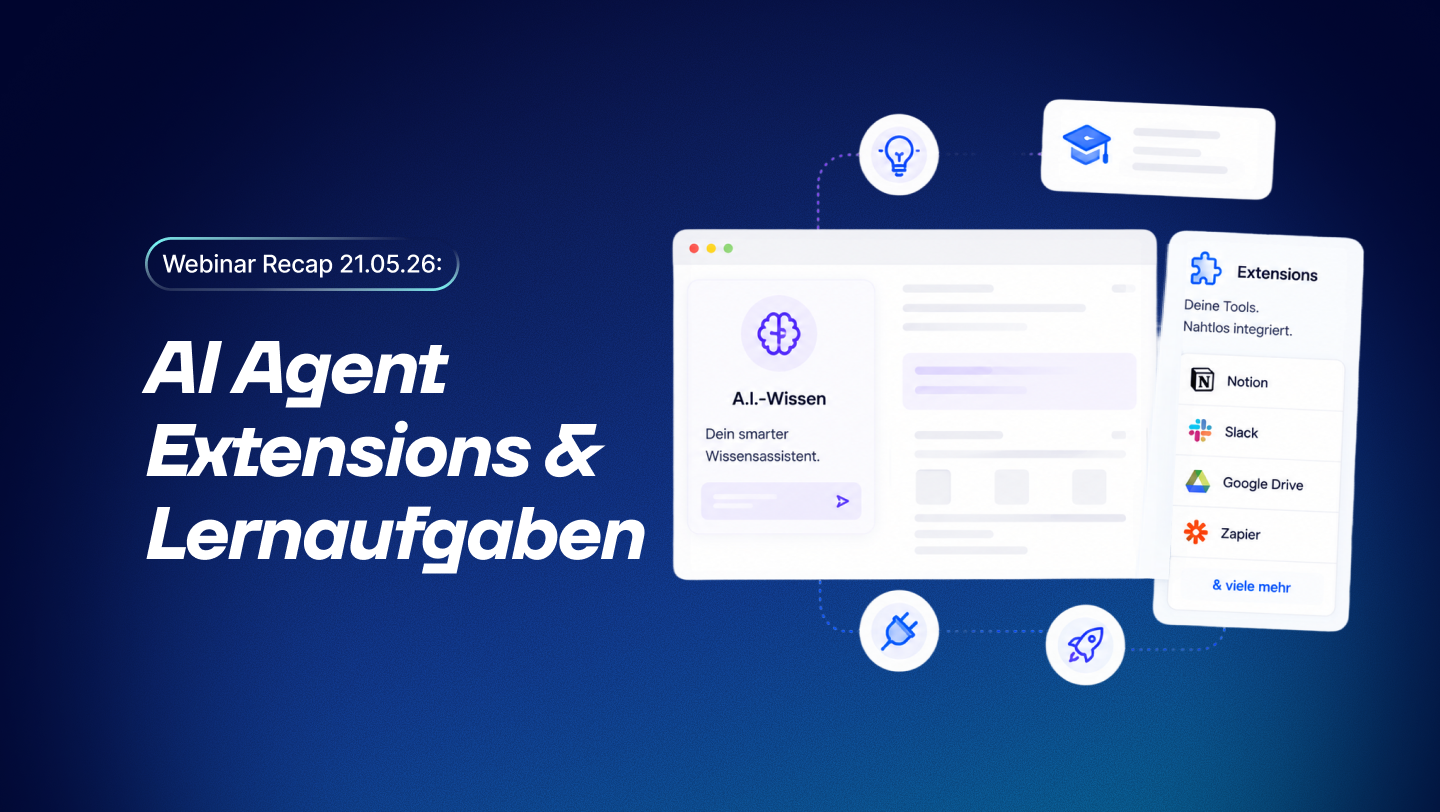
Memberspot is your learning and AI platform—and in AI Studio Insider, André and Esther showed just how much of this work the AI agents are now taking over. The key question: What tasks will you no longer have to do manually, on your own, and—most importantly—after hours? Manually putting together courses, writing announcements, answering every member’s question personally—that’s exactly what the agents can now do for you.
The recap is divided into four sections: platform agents, agent credits, and MCP; custom agents for your members; and 8 practical hacks —plus a preview of the next webinar. If you missed the webinar or would like to review specific points at your own pace, here’s the recap.
Quick tip: You can find the full recording in our community under Courses → Recordings 2026. That’s where all of this year’s Insider webinars are posted.
The Platform Agents
You may already be familiar with some of the features in AI Studio: automatic transcriptions, summaries, quizzes, and creating courses with AI. Since last year, Memberspot Agents and your own Agents have been added. We provide the platform agents preconfigured so you can get right to work in Memberspot. You’ll find them in the bottom right corner of the Admin App—and each one does exactly what its name suggests:
- Support: Answers your questions about Memberspot—always free of charge.
- Memberspot Agent: the main agent you use to implement changes in your learning area.
- Community Agent: Interacts with your community.
- Portal Builder: Builds portals and homepages.
- Agent Builder: Create your own agents.
Memberspot Agent: Create Courses via Chat
The Memberspot Agent is one of the most powerful agents we offer. It can:
- Create and Edit Courses and Lessons
- Create members and grant them access to courses
- Create Pages
- Generate Images for Courses and Lesson Covers
In the live demo, one sentence was all it took: “Create the ‘Sourdough Basics’ course as a draft with five lessons.” The agent suggested a lesson structure, asked for approval for each action, and created the course, chapters, and lessons in real time in the background. Upon request, it generated appropriate thumbnails, and with a second command, the course was made available to a member. The AI-generated images aren’t always perfect—but they’re very useful for initial visuals that make a new course more tangible.
Portal Builder: Home Pages via Prompt
An empty portal can seem complicated. The Portal Builder will immediately create a version for you that's much closer to your use case. The better your prompt and your initial considerations, the better the result.
The webinar demonstrated just how proactive the agent is: Since the portal for the prompt already existed, the agent didn't create a duplicate but instead created a new draft of the existing portal—including the dashboard.
Community Agent: Post Announcements
In Community Agent, all it took was a request to post a short, friendly announcement about the new course in the “Team Updates” space. The agent reviewed the spaces, drafted the post, requested approval, and published it. With Background Agents, such processes can even be automated—for example, a post can be published as soon as certain criteria are met in courses or within the community.
Good to know
- AI Label: When the agents generate content, the label is automatically enabled. You can change it to “AI-modified” or disable it once you’ve revised the content to the point where it’s once again your own. The responsibility for labeling lies with you.
- If you switch to a different agent and start chatting there, any ongoing process in the first agent will be paused. So let the agent finish its work first.
- You can still upload videos yourself within the lesson—for example, if you're re-recording a clip due to audio issues.
- The agent is intentionally unable to create admins —this is by design for security reasons.
MCP: Memberspot in Your Own AI
Through the Memberspot MCP, you can use your own AI to access the same tools that the agents use. You’ll find the necessary information in the settings under “AI Settings.” Claude, ChatGPT, and Codex are supported: just click the button, enter your token, and get started. Other platforms, such as Langdock, can also be connected—as one participant confirmed directly in the chat.
Good to know: Memberspot cannot access the knowledge you’ve stored in Claude projects via the MCP. If you want to use the same knowledge base in both tools, store it in a central location—such as Google Drive—and link the folder to both your AI and Memberspot.
Dedicated Agents for Your Members
With your own agents, you're no longer the only point of contact for everything. You can document your knowledge and build services that help your members around the clock.
The Four Components of an Agent
- Instructions: Who are you, how do you communicate, and what are your limits? Please describe these in your own words.
- Knowledge: What resources does the agent use, and what questions is he supposed to answer?
- Access: Public (all members of your learning area) or private (only members with the appropriate access).
- Appearance: How does the agent feel, and which fields are pre-filled?
Always start with the Agent Builder
Our recommendation—even if you’re already familiar with agents—is to create new agents using the Agent Builder. Just enter a prompt, and the Builder will fill in the 20 to 30 configuration fields appropriately. You can then fine-tune the instructions, knowledge, and member context in detail. This is much easier than starting from scratch.
Member Context: The agent knows your learners
Unlike the pre-populated AI Assistant, your own agent—if you grant it access—can access your members' learning progress, new notes (currently in beta), and profile information.
Here’s an example: In a pizza-making class, during the first lesson, you use an attribute to ask what kind of oven someone has. The agent then provides specific tips tailored to that exact oven—as long as that information is in your knowledge base. Or in a dance class: The agent knows which standard dances a participant already knows and where they’re struggling. This creates personalized learning scenarios.
Initiating a Conversation and Memory
- Starting a Conversation: The agent can initiate the conversation on their own or actively ask for feedback. This is especially useful if they are your home page or are in the middle of a lesson.
- Memory: The agent remembers a member across multiple conversations. This knowledge remains with that specific agent—no other agent is aware of it.
Incorporate it where learning takes place
- as an AI agent lesson in the course, for example, at the end of a lesson as a learning guide
- via the agent selection in the lower-right corner of the Members app
- as the home page immediately after logging in
- as usual, in the menu
Sources of knowledge: PDFs, Google Drive, Notion, and others
In the " Knowledge & Development " tab, you can store background information that doesn't need to be organized as a course:
- Uploads: PDF, Word, and text files, either individually or multiple at a time.
- Connectors: for example, Google Drive, WordPress, or Notion—with automatic synchronization, such as daily.
- Collections: You can group sources—such as an onboarding collection—and select them in the agent's settings under "Knowledge."
During the webinar, an onboarding agent answered a question about the guidelines for travel expense reimbursement—using information from the relevant course and from a policy in Google Drive.
Tip for help pages and web content: If you only provide the agent with a URL, it won’t be fully indexed—the agent will find parts of it but won’t be aware of related articles. A better approach: Have an AI like Claude scan your entire Help Center as Markdown files, save them to Google Drive, and connect the folder via a connector. With automatic synchronization, the information stays up to date.
Learning from Past Trends
Under Agents → History, as an admin, you can view conversations with the AI Assistant and your agents, along with member ratings. You can see what members started with, how many follow-up questions they needed to reach their goal, and whether the agent is revealing too much—and then refine instructions or knowledge as needed.
More Than Just Learning Support: Agents in the Funnel
An agent can also screen applicants or prospective clients. When combined with self-sign-up and the agent as the landing page, the agent guides new contacts through your questions during a conversation, rather than directing them to a rigid form. Tip from the demo: Three to four questions are often enough.
Good to know
- Protecting Content: In the instructions, you can specify that the agent should only release information in small increments, and use the logs to verify that it is following these instructions. In addition, our DRM protects your content.
- Multiple customers: Admin access to members always applies to the entire learning area. If a customer wants to view the learning progress of their employees, we recommend creating a separate learning area for each customer.
- Correcting Assignments: Agents make corrections directly in the tasks and assignments. Until then, a dedicated agent provides sample solutions in the instructions.
- Models and Data Protection: The standard models are included; more powerful models are available through AI Premium, or you can use your own. Your data is not used for training and is hosted in the EU.
- Availability: Memberspot Agent, Portal Builder, and Community Agent are available in all plans; Agent Builder is available in plans that include custom agents.
8 Tips for Better Agents
- Ask first, then take action: Feel free to ask the agent what he can do and how he can help you.
- Set it up with AI, then customize it: Use Agent Builder, Portal Builder, and Memberspot Agent for the basic structure—and include existing concepts directly in the prompt.
- Deliberately limit knowledge: Give each agent a clear mission instead of creating a universal agent. This also allows you to better monitor success.
- Turn on source citations: Members and you can see what the agent is basing their conclusions on.
- Use transcripts: They're worth their weight in gold for providing context in your video courses.
- Have the agent start the conversation: Not an empty chat, but a clear opening question.
- Private Settings Plus Access: How Every Agent Reaches Exactly the Right Members.
- Check progress weekly: Take a look at least once a week to see what's going well and what isn't.
Upcoming Event: Background Agents on November 19
The next AI Studio Insider will focus on Background Agents: time-based agents that work for you in the background, invisible to your members. We'll show you specific templates and examples. Be sure to mark the date on your calendar:
- Nov. 19 – AI Studio Insider: Focus on Background Agents
Sign up now for the AI Studio Insider on November 19—we look forward to seeing you there!
And if you'll be at This is Marketing in Frankfurt next week, stop by our booth to meet our team and catch Esther's talk on the AI Stage.
The notes for your members are expected to go live for everyone within the next two weeks. You can already use them in the beta—just submit a request to join the Memberspot beta in our community.
In short
The AI Studio Insider was all about AI agents:
- Platform Agents: Courses, lessons, access, portals, and community posts via chat—every action happens after you approve it.
- Credits and MCP: Chatting is free; promotions are included monthly depending on your plan; you can also manage Memberspot via MCP from Claude, ChatGPT, or Codex.
- Custom Agents: Get started with the Agent Builder, connect knowledge sources, leverage member context, and integrate them where learning takes place.
- 8 Hacks: a clear mission, citations, conversation starters, and a weekly look at your chat history.
Or in one sentence:
You're no longer the go-to person for everything—your agents take care of it, and you focus on what really matters.
Have fun trying it out—and if you'd like, join our community at community.memberspot.de.
Your Member Spot 👋