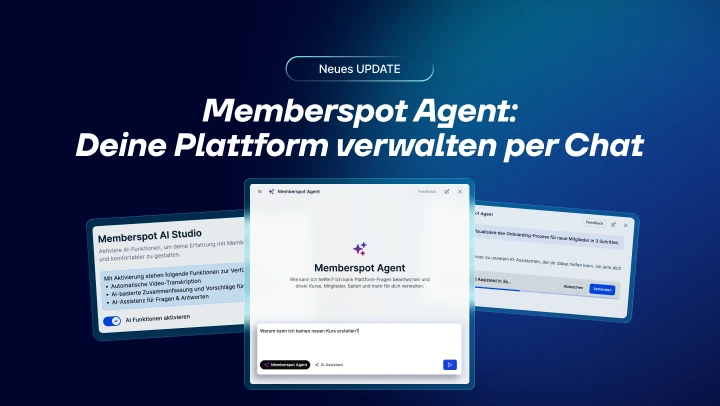
Key points at a glance:
- The Memberspot Agent answers platform questions, troubleshoots issues, and performs actions directly from the chat
- Create courses, manage members, customize access—all via text input
- Every write operation requires your confirmation—the agent cannot delete anything
Anyone who’s ever spent 10 minutes searching the Help Center to figure out why a member can’t access the site knows the problem. The answer was there somewhere—but not right away. The Memberspot Agent changes that.
What is the Memberspot Agent?
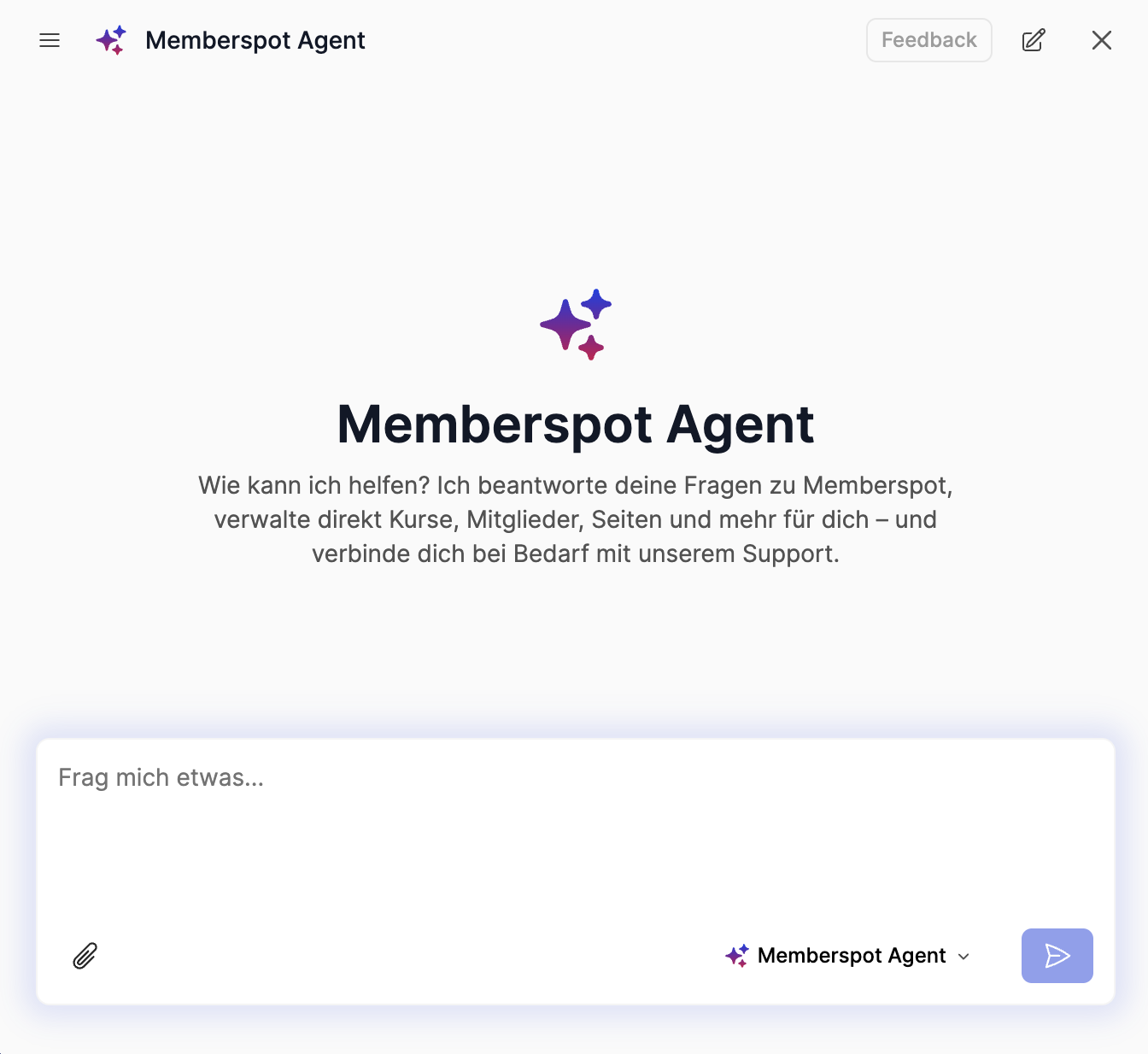
It’s not a chatbot that provides standard responses. The Memberspot Agent is integrated directly into the admin area, knows your plan, your permissions, and your platform data—and can not only respond but also take action based on this information.
Get answers to your questions — based on the Memberspot help articles. Features, settings, billing, navigation. You ask, it answers.
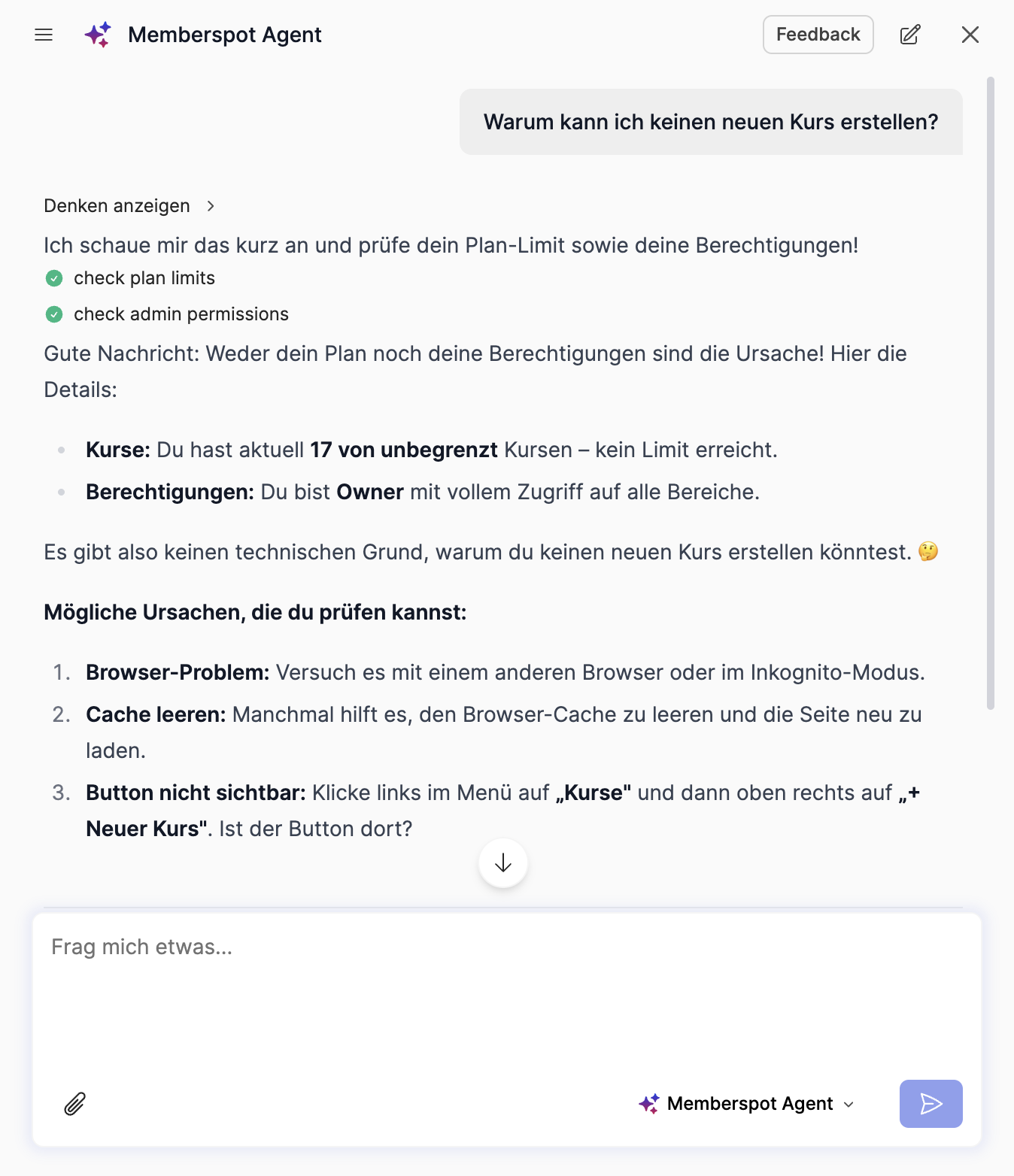
Troubleshooting — when you report that something isn't working, it automatically checks your plan and permissions. "Why can't I create a new course?" gets a direct answer — right away, without having to search.
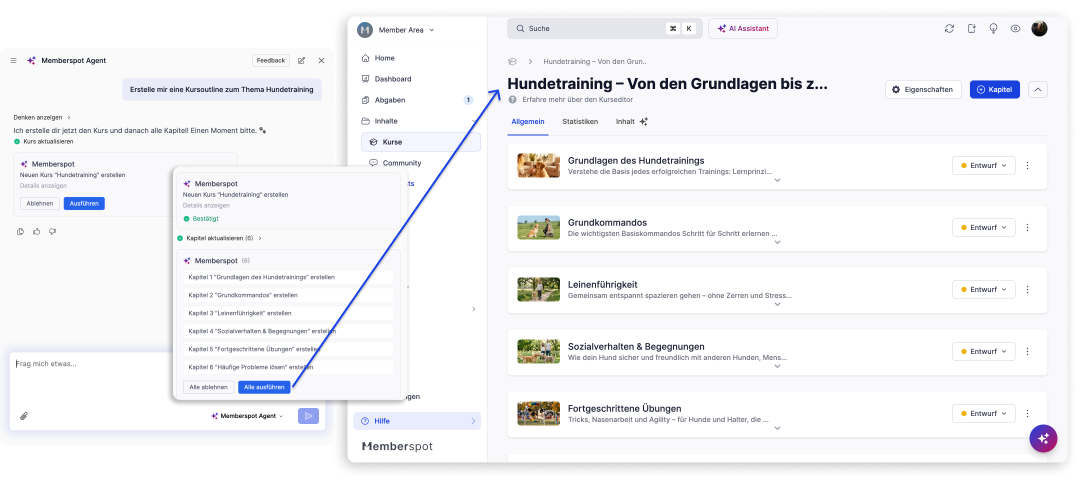
Perform actions —right from the chat. You tell him what you need, and he does it.
What does the agent handle for you directly?
Courses & Content
- Create courses, edit name and description
- Create and edit chapters and lessons
- Update multiple lessons at once — using a batch update
Members
- Create members, edit profile
- Grant, revoke, or block access

New Arrivals & Specials
- Create accounts, add or remove courses and spaces

Pages
- Create pages and edit content
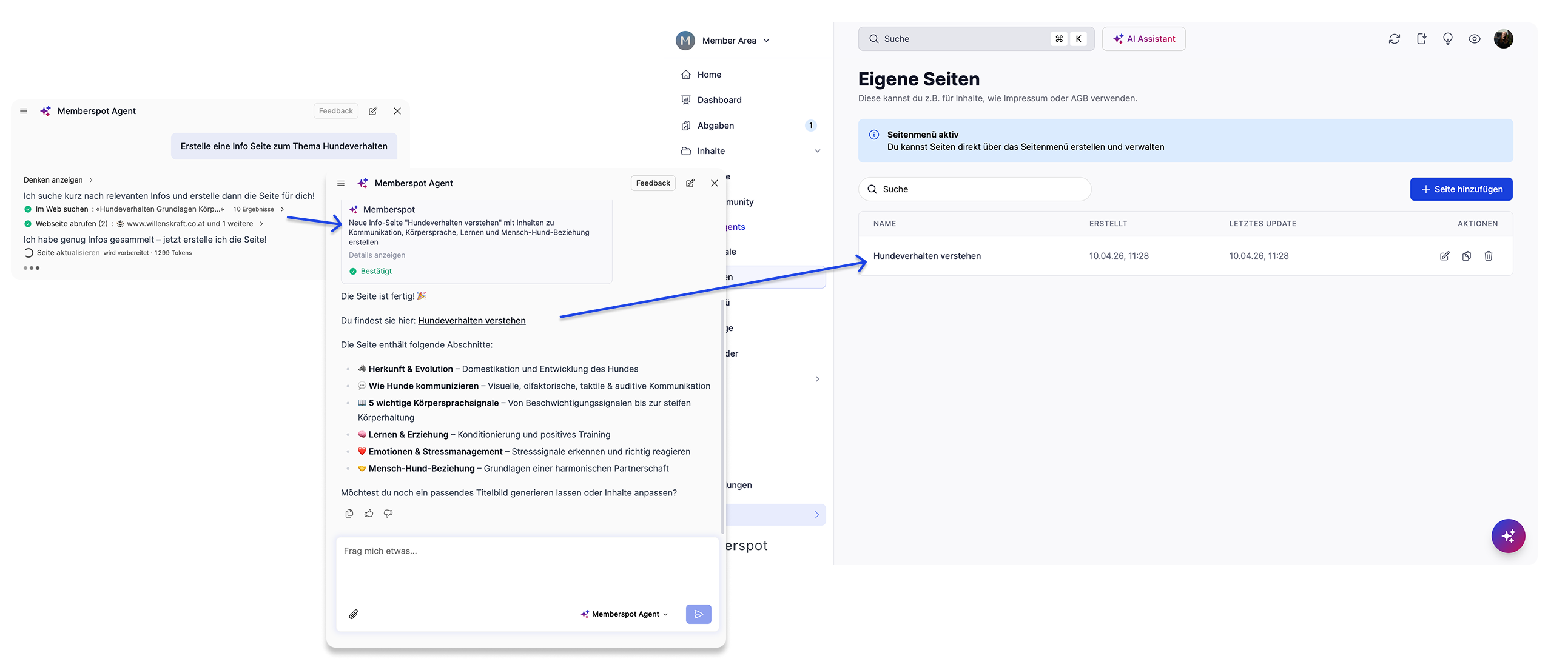
Before every change, you'll see exactly what the agent wants to do—and you can approve or reject it. Nothing happens without your approval.
One thing it deliberately cannot do: delete. Courses, members, lessons—deletion options are not available.
Automatic forwarding
Memberspot has two AI assistants: the AI Assistant for your course content—and the Memberspot Agent for the platform.
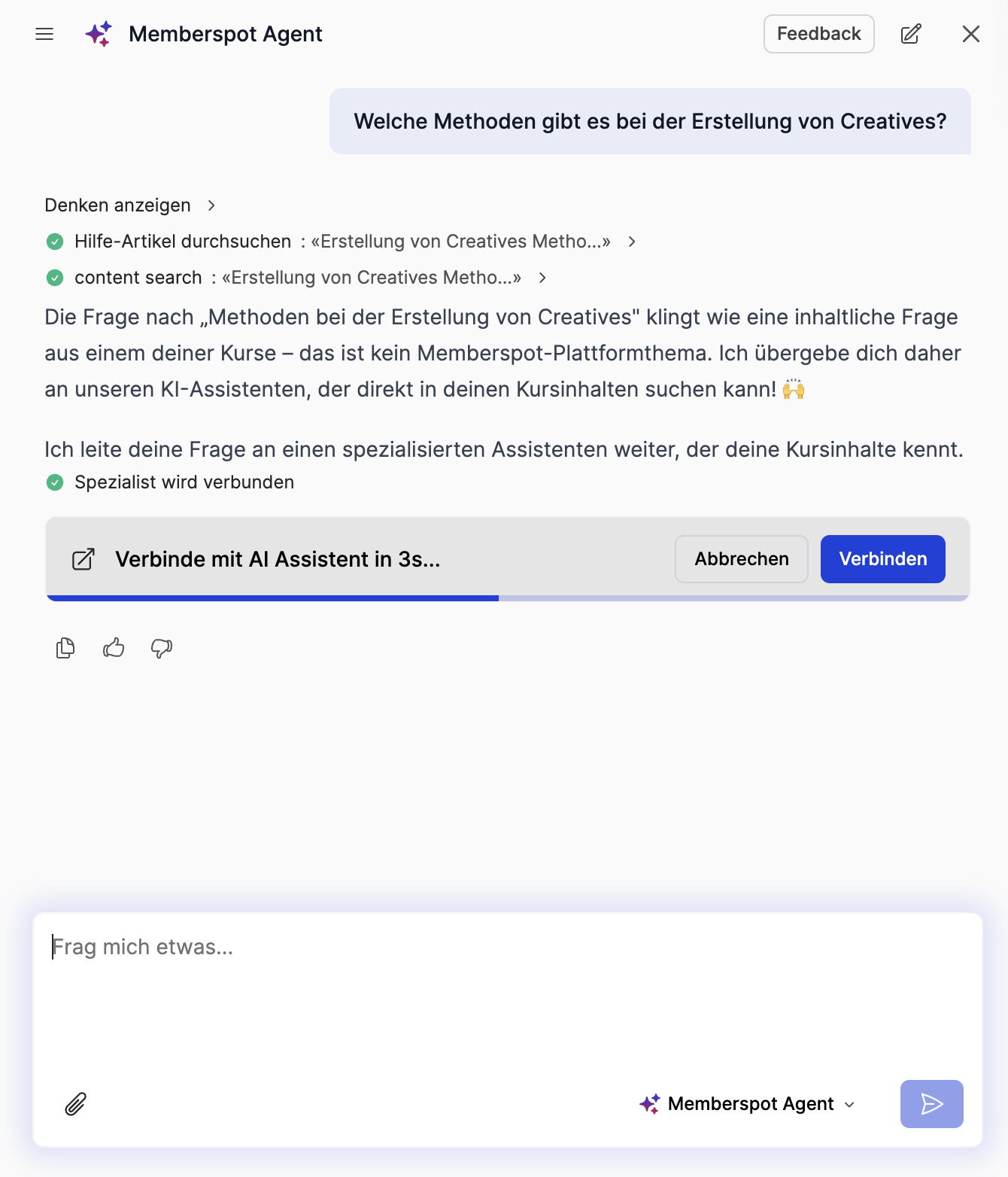
You don't need to know which one you need at any given moment. When you ask the AI Assistant a platform-related question, it recognizes this and automatically redirects you. And vice versa. No manual switching, no new window.
How can you make the most of it?
A self-managed platform A new member writes: “I’ve paid, but I don’t have access.” Before: Open the admin panel, search for the member, check their plan, manually grant access—five steps, five minutes. Now: Ask an agent, see the cause immediately, grant access directly from the chat. Problem solved before the member gets impatient.
An agency that manages multiple academies. You’re onboarding a new client—25 members need to be created, access rights assigned, and an introductory course set up. It’s all routine work, but it’s all time-consuming. With the Agent: Create members via chat, assign access rights, and set up courses—without ever having to navigate through the admin panel.
A knowledge-based company with a large course portfolio: 60 lessons, all of which need to be marked as "required." Manually: 60 clicks, 60 saves. With the agent: one request, a batch update, and it's done. What used to take 20 minutes now takes 30 seconds.
Here's how to reach him
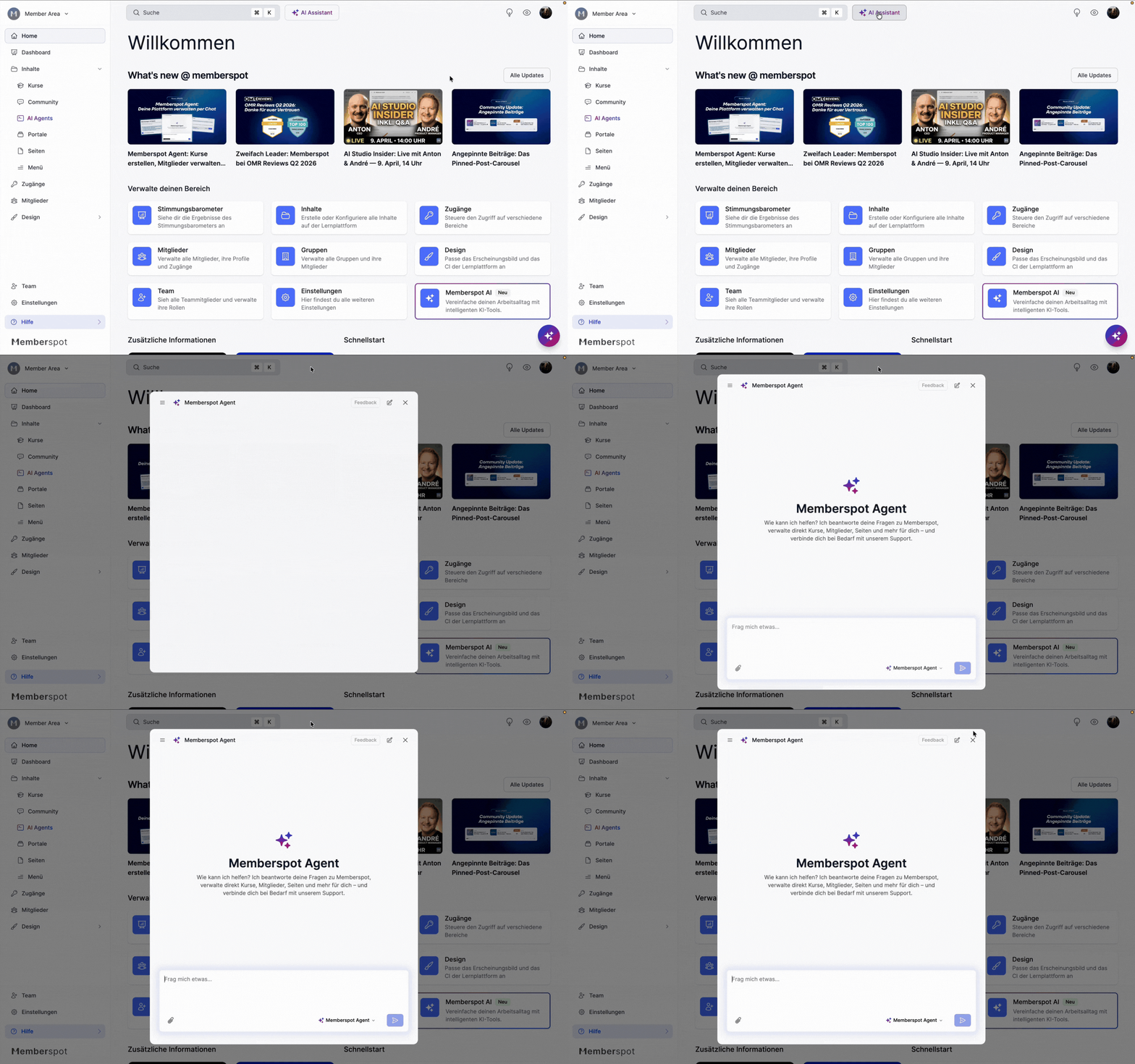
AI assistant icon in the admin panel — available right away, no setup required. The agent responds in German and English.
Have fun testing it out!



%201%20(1).png)