


Key points at a glance:
- Community posts now support various formats: events, polls, posters, galleries, videos, and CTA buttons
- Each Space is customized individually—you decide which formats are available to moderators and members
- Event posts appear as feed filters and as pinned posts with a date badge

Until now, a post was just a text box. Sometimes with an image. That was enough—but not for everything. If you wanted to announce a live event, you wrote some text and hoped that members would scroll down. If you wanted to promote a course, you pasted a URL into the text.
That was a workaround. Not a feature.
The different types of formats—and when to use them
1. Event
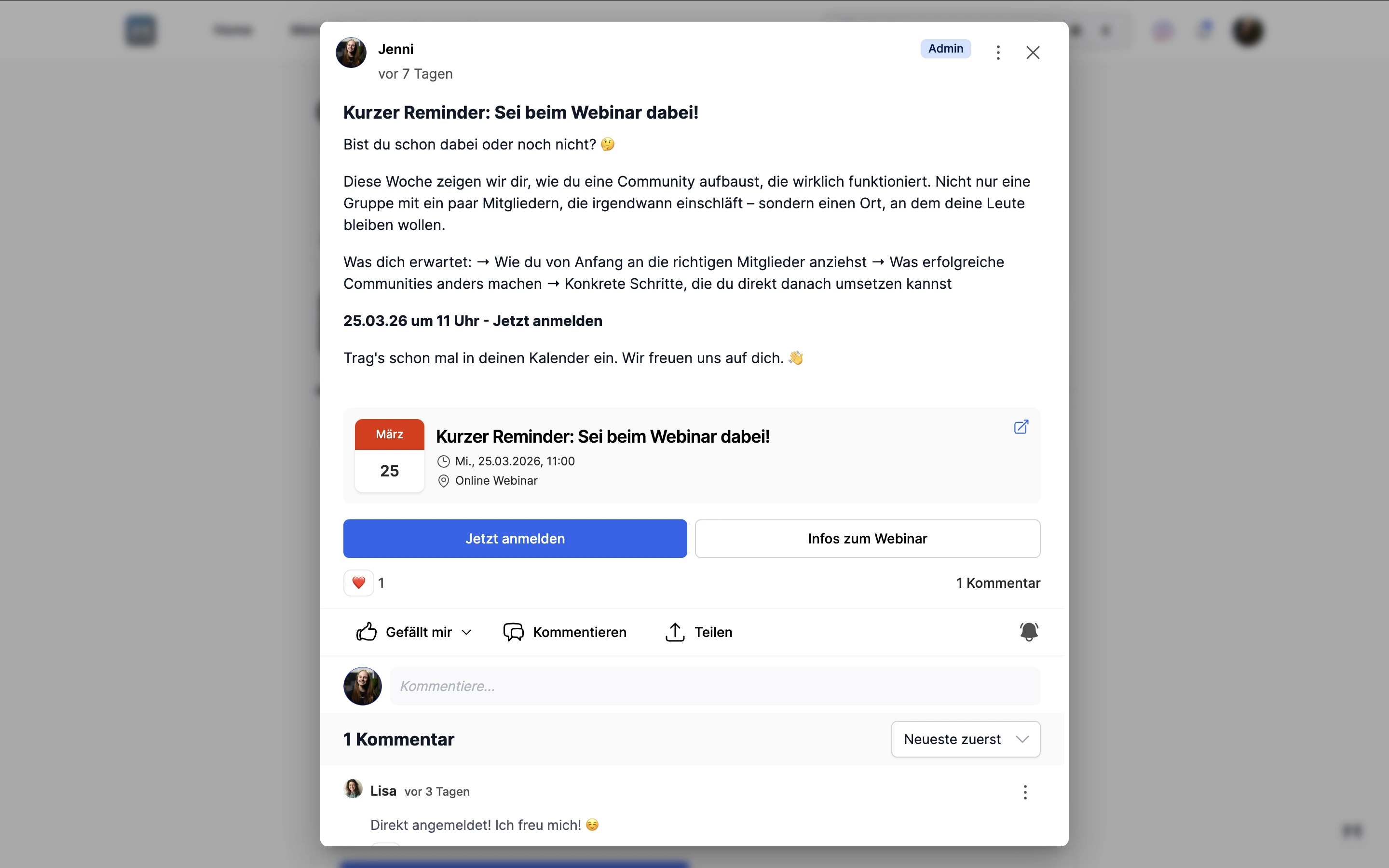
Announce a live call, webinar, or workshop. Use the event format as a post—including the date, time, location, and link. The event will appear in the feed with a calendar badge, automatically show up in the pinned post carousel, and members can filter specifically for events.
No separate tool, no second announcement on another channel. By the way, "Event" is a format type that can be used as a feed filter.
2. CTA buttons
You want to highlight an offer, a course, or an external resource. A prominent action button or a more subtle info button—both link to external URLs. Members can immediately see what to do.
3. Survey
You want to gather feedback or prioritize topics. Surveys right in the post—with 2 to 10 options, and optional multiple-choice. Three visibility modes: public, admins only, or anonymous. No external form; results stay within the platform.
4. Posters, Gallery, Video
Visual content directly in the post—no link to Dropbox, no external upload. Posters via the built-in thumbnail editor, galleries with up to 10 images and a lightbox full-screen view, videos up to 20 GB per file, or a browser recorder.

How do you set it up?
Admin → Community → Spaces → Space Settings → Attachment Permissions.
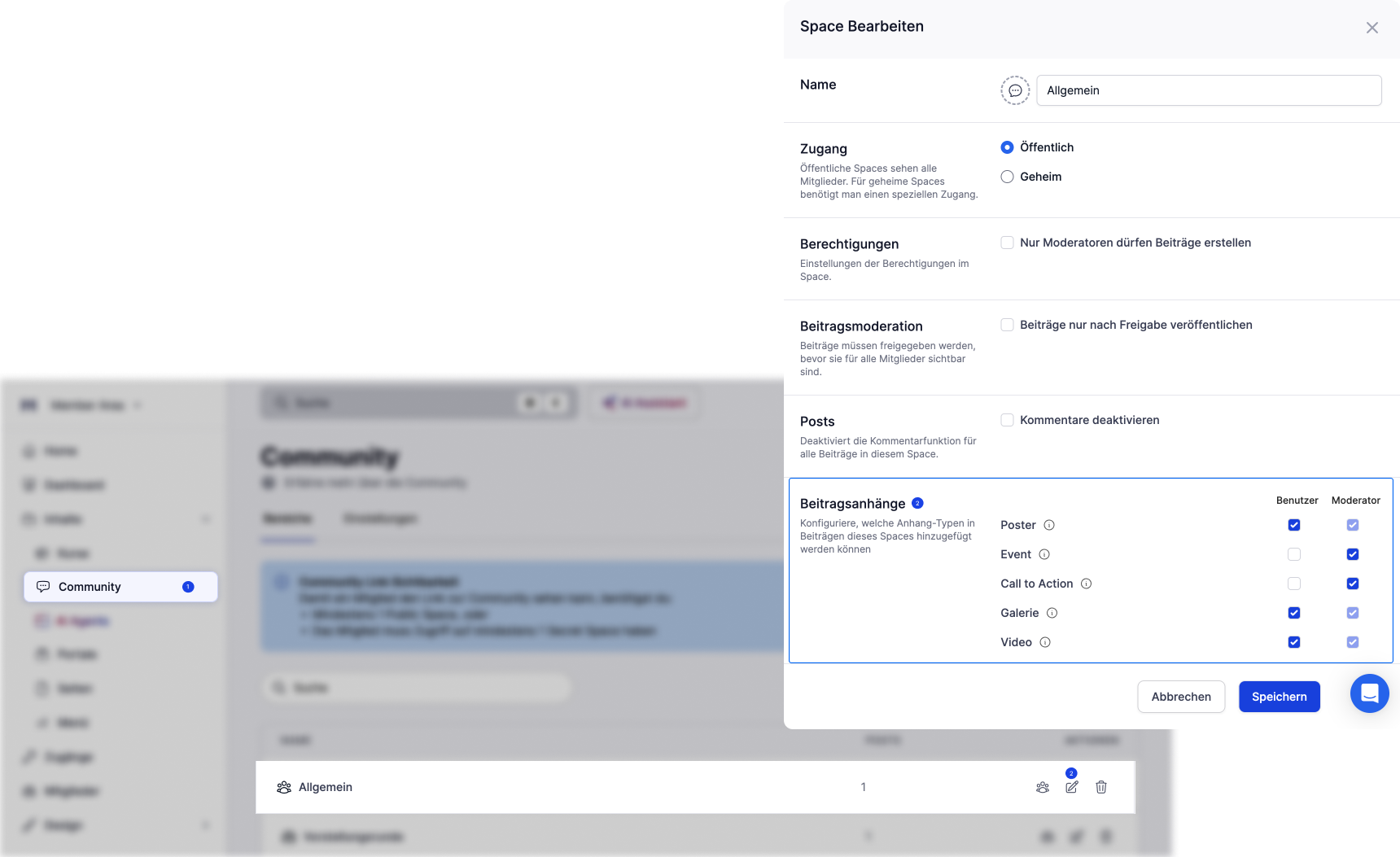
There, you can select which roles are available for members and moderators in each space. An announcement space for your customers has different permissions than an open discussion space—and you can configure it that way. Learn more in the help article.
Community posts can now do a lot more—without getting any more complicated. Check it out.



.png)


.png)