Until now, a course went like this: open a lesson, watch a video, check a box, move on. Did the member actually understand anything? Hopefully so ;) In addition to the quiz, you now have the option to assign tasks to your members within lessons, and to receive and grade their submissions.
Learning tasks break this pattern. You set a task—the member completes it. Only then do we move on.
This changes the dynamic: Your course shifts from being a consumer product to a learning process. And you finally get to see what resonates with your members.
At a glance
- Embed assignments directly into lessons — Members can submit text, files, videos, or links
- Lessons aren't complete until all assignments have been passed — no skipping
- Evaluation by rating or category — with feedback directly on the submission
- Timestamped comments on video submissions — feedback right where it belongs
From the assignment to the feedback
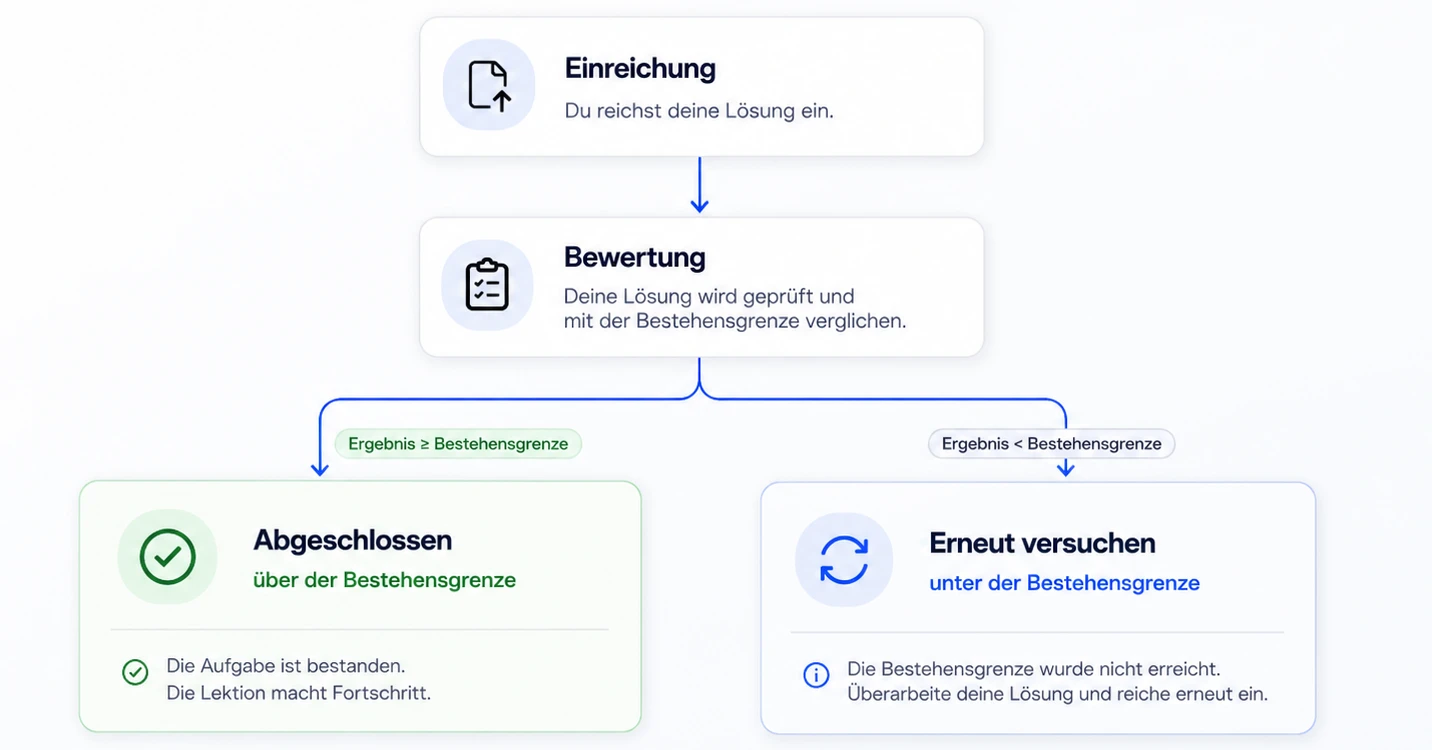
Your member opens the lesson and sees: There's something to do here. A briefing explains what's expected. They click "Start Assignment," work on it, and submit it.
Then something happens that doesn't happen in most classes: someone checks it over.
You or your tutor opens the submission, grades it, and provides feedback. For videos, you can even add timestamps—just click on the moment that catches your eye and leave a comment right there.
If the score is above the passing threshold, the lesson is automatically completed. If it is below the threshold, the member is assigned the "Retake" status and can resubmit their work. As many times as necessary.
Formats, Grading, Tutors
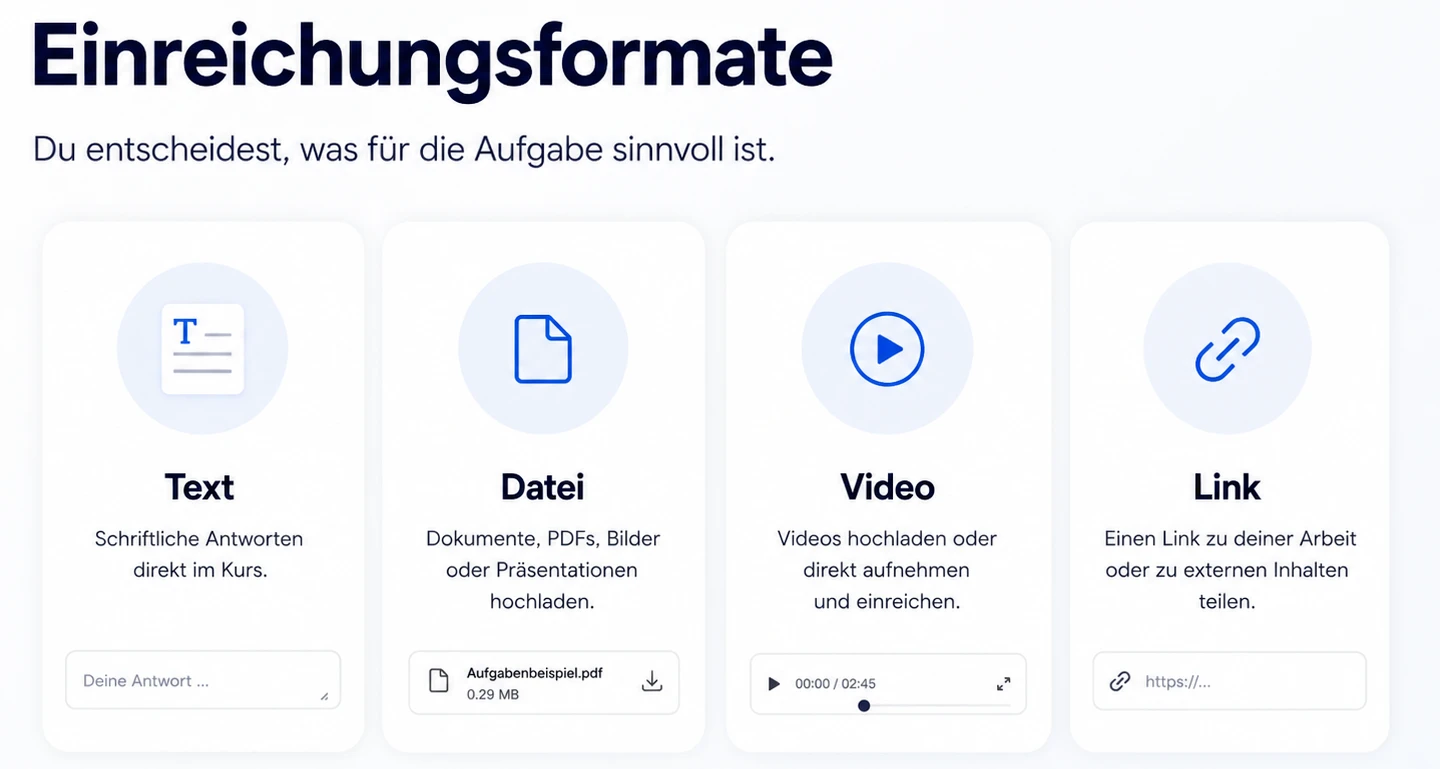
Submission formats — text, file, video, link, or a combination. You decide what works best for the assignment.
Grading — Either a simple rating on a scale of 0 to 100 or a rubric with multiple criteria. Rubrics are particularly useful when you want to provide a nuanced assessment—such as for presentations, creative projects, or certification exams.

Passing score — The default is 70. For accountability check-ins, set it to 0 — then the only requirement is that the assignment is submitted.
Tutors — You assign a tutor who will review and grade the submissions. Without a tutor, nothing happens—the submission remains invisible in the queue.
In practice
If you're a coach: Assign an exercise after each lesson. The member submits it, and you provide feedback. The next section doesn't open until the exercise is passed. No one slips through unnoticed anymore.
When you're onboarding clients: questionnaires, contracts, brand assets—all assigned as tasks in the first lesson. The member submits the work, and you review it. No email threads, no forgotten attachments.
If you're certifying: Final project with a rubric and a high passing threshold. Every submission, every evaluation, every examiner—everything is logged and auditable.
If you want accountability: Weekly check-ins via text or video. The passing score is 0—the focus is on staying on track. You respond, and the member feels seen.
3 Tips to Get Started
Always assign a tutor. Without a tutor, submissions can easily get lost. No one will be notified, and grades may not be assigned. This is the most common mistake.
Choose a format that fits the content. Wrote a blog post? A link is enough. Uploading a file just takes up storage space if the work is online anyway. Submitted a video? Then add a timestamped comment—otherwise you’ll be wasting the best part of the feature.
Think in terms of ratings per lesson. All assignments within a lesson use the same method. If you want to grade one assignment using a rating and another using a rubric, create separate lessons.

👉 See the help articles for full details:
Learning Activities – Basics and Setup https://help.memberspot.de/de/articles/14667629
Link assignments to lessons https://help.memberspot.de/de/articles/14667630
Submissions – Process and Overview https://help.memberspot.de/de/articles/14667631
Learning Activities – Use Cases https://help.memberspot.de/de/articles/14667632



%201.png)